OBS Git Explorer provides a REST API for programmatic access to build results, file search, and backend configuration. All endpoints return JSON unless otherwise noted.
Please note that these api calls may have a configured rate limit.
All API endpoints are relative to this server's base URL:
http://gitexplorer.opensuse.org/api/Search or list packages from SPDX products
Returns packages from indexed SPDX product data. This includes package metadata, VCS information (git repository, branch, commit), and the product they belong to. Optionally filter results by package name.
| Parameter | Type | Required | Description |
|---|---|---|---|
q |
string | No | Package name to filter by (case-insensitive partial match). If omitted, returns all packages. |
Returns a JSON object with package information:
{
  "search_term": "bash",
  "count": 25,
  "packages": [
    {
      "package_name": "bash",
      "arch": "x86_64",
      "filename": "bash-5.2.15-1.1.x86_64.rpm",
      "vcs_url": "https://src.opensuse.org/pool/bash",
      "vcs_org": "pool",
      "tracking_branch": "factory",
      "commit_hash": "abc123def456...",
      "disturl": "obs://build.opensuse.org/openSUSE:Factory/standard/...",
      "product": {
        "name": "openSUSE-Tumbleweed",
        "version": "20240401",
        "architecture": "x86_64",
        "build_number": "Snapshot20240401",
        "full_name": "openSUSE-Tumbleweed-DVD-x86_64-Snapshot20240401"
      }
    },
    {
      "package_name": "bash-completion",
      "arch": "noarch",
      "filename": "bash-completion-2.11-1.1.noarch.rpm",
      "vcs_url": "https://src.opensuse.org/pool/bash-completion",
      "vcs_org": "pool",
      "tracking_branch": "factory",
      "commit_hash": "def789ghi012...",
      "disturl": "obs://build.opensuse.org/openSUSE:Factory/standard/...",
      "product": {
        "name": "openSUSE-Tumbleweed",
        "version": "20240401",
        "architecture": "x86_64",
        "build_number": "Snapshot20240401",
        "full_name": "openSUSE-Tumbleweed-DVD-x86_64-Snapshot20240401"
      }
    }
  ]
}search_term - The search term used (null if no filter applied)count - Number of packages returnedpackages - Array of package objects with:
package_name - Source package namearch - Package architecturefilename - RPM filenamevcs_url - Git repository URLvcs_org - Gitea organization nametracking_branch - Git branch being trackedcommit_hash - Git commit hash used to build the packagedisturl - OBS distribution URLproduct - Product information (name, version, architecture, build number)List all packages:
curl "http://gitexplorer.opensuse.org/api/products/packages"Search for packages matching "bash":
curl "http://gitexplorer.opensuse.org/api/products/packages?q=bash"200 OK - Successful querySearch for files in RPMs across all products
Searches through the file lists of all indexed RPM packages to find files matching the query. Results are enriched with package metadata from SPDX products database.
| Parameter | Type | Required | Description |
|---|---|---|---|
q |
string | Yes | Search term (minimum 2 characters) |
Returns a JSON object with search results:
{
  "search_term": "bash",
  "count": 2,
  "results": [
    {
      "file_path": "/usr/bin/bash",
      "rpm_filename": "bash-5.2.15-1.1.x86_64.rpm",
      "packages": [
        {
          "package_name": "bash",
          "arch": "x86_64",
          "vcs_url": "https://src.opensuse.org/pool/bash",
          "vcs_org": "pool",
          "tracking_branch": "factory",
          "commit_hash": "abc123...",
          "disturl": "obs://build.opensuse.org/openSUSE:Factory/...",
          "product_name": "openSUSE-Tumbleweed",
          "product_version": "20240401",
          "product_build": "Snapshot20240401"
        }
      ]
    }
  ]
}curl "http://gitexplorer.opensuse.org/api/products/files?q=bash"200 OK - Successful search400 Bad Request - Search term too short (less than 2 characters)Search for products by VCS repository, branch, or commit hash
Searches through SPDX product packages to find those built from a specific git repository, branch, or commit. Supports multiple search formats:
org/repo@branch - Search by organization, repository, and branch (e.g., pool/glibc@leap-16.0)repo@branch - Search by repository and branch (any organization)repo - Search by repository name onlya1b2c3d4... - Search by commit hash (8+ hex characters)
Note: Both @ and # separators are supported for backward compatibility.
| Parameter | Type | Required | Description |
|---|---|---|---|
q |
string | Yes | Search term in one of the supported formats (minimum 2 characters) |
Returns a JSON object with matching packages:
{
  "search_term": "pool/glibc@leap-16.0",
  "search_org": "pool",
  "search_repo": "glibc",
  "search_branch": "leap-16.0",
  "search_commit": null,
  "count": 5,
  "packages": [
    {
      "package_name": "glibc",
      "arch": "x86_64",
      "filename": "glibc-2.39-1.1.x86_64.rpm",
      "vcs_url": "https://src.opensuse.org/pool/glibc",
      "vcs_org": "pool",
      "tracking_branch": "leap-16.0",
      "commit_hash": "abc123def456...",
      "disturl": "obs://build.opensuse.org/openSUSE:Leap:16.0/standard/...",
      "product": {
        "name": "openSUSE-Leap",
        "version": "16.0",
        "architecture": "x86_64",
        "build_number": "Build123",
        "full_name": "openSUSE-Leap-16.0-DVD-x86_64-Build123"
      }
    }
  ]
}# Search by org/repo/branch (using @ separator)
curl "http://gitexplorer.opensuse.org/api/products/vcs-search?q=pool/glibc%40leap-16.0"
# Search by repo/branch (using @ separator)
curl "http://gitexplorer.opensuse.org/api/products/vcs-search?q=bash%40factory"
# Legacy format with # separator also works
curl "http://gitexplorer.opensuse.org/api/products/vcs-search?q=bash%23factory"
# Search by repo only
curl "http://gitexplorer.opensuse.org/api/products/vcs-search?q=systemd"
# Search by commit hash
curl "http://gitexplorer.opensuse.org/api/products/vcs-search?q=a1b2c3d4e5f6"200 OK - Successful search400 Bad Request - Search term too short (less than 2 characters)Get build results for an OBS project
Returns build results for a specific project. In Redis mode, results are fetched from cache. Otherwise, results are fetched from the OBS API.
| Parameter | Type | Description |
|---|---|---|
project_name |
string | OBS project name (e.g., "openSUSE:Factory") |
| Parameter | Type | Required | Description |
|---|---|---|---|
repos |
string | No | Comma-separated list of repositories to filter (e.g., "standard,product") |
archs |
string | No | Comma-separated list of architectures to filter (e.g., "x86_64,aarch64") |
status |
string | No | Filter by build status (e.g., "failed", "succeeded") |
lastbuild |
string | No | Set to "1" for last build results only (not supported in Redis mode) |
oldstate |
string | No | Checksum for change detection (not supported in Redis mode) |
Returns XML in OBS _result format:
<?xml version="1.0" encoding="UTF-8"?>
<resultlist state="...">
  <result project="openSUSE:Factory" repository="standard" arch="x86_64">
    <status package="bash" code="succeeded"/>
    <status package="vim" code="failed">
      <details>error: Bad exit status from /var/tmp/rpm-tmp.xyz</details>
    </status>
  </result>
</resultlist>curl "http://gitexplorer.opensuse.org/api/projects/openSUSE:Factory/_result?archs=x86_64&status=failed"200 OK - Successful query404 Not Found - Project not found or access restrictedQuery build results from all forks of a repository
Queries Gitea for all forks of a package repository and returns build results for each fork. Useful for tracking development in forked repositories.
| Parameter | Type | Description |
|---|---|---|
package_name |
string | Package/repository name in Gitea |
| Parameter | Type | Required | Description |
|---|---|---|---|
org |
string | No | Gitea organization (defaults to configured organization) |
{
  "success": true,
  "forks": [
    {
      "owner": "user123",
      "name": "bash",
      "url": "https://src.opensuse.org/user123/bash",
      "build_results": [
        {
          "project": "home:user123:branches:openSUSE:Factory",
          "package": "bash",
          "repository": "openSUSE_Tumbleweed",
          "arch": "x86_64",
          "status": "succeeded"
        }
      ]
    }
  ]
}curl "http://gitexplorer.opensuse.org/api/packages/bash/fork-builds"200 OK - Successful query404 Not Found - Package not found or could not fetch forksList all maintained branches for a package
Returns all Git branches for a given package in a Gitea organization. By default, queries the 'pool' organization where maintained branches are stored. Each branch includes metadata such as the latest commit SHA, protection status, and permissions.
| Parameter | Type | Required | Description |
|---|---|---|---|
package_name |
string | Yes | Name of the package. Package flavors (package:flavor) are supported. |
| Parameter | Type | Required | Description |
|---|---|---|---|
org |
string | No | Gitea organization name. Default: pool |
Returns a JSON object with branch information:
{
  "package": "bash",
  "org": "pool",
  "branches": [
    {
      "name": "factory",
      "commit": {
        "sha": "abc123def456...",
        "url": "https://src.opensuse.org/api/v1/repos/pool/bash/git/commits/abc123..."
      }
    },
    {
      "name": "leap-16.0",
      "commit": {
        "sha": "def789ghi012...",
        "url": "https://src.opensuse.org/api/v1/repos/pool/bash/git/commits/def789..."
      }
    },
    {
      "name": "sle-16",
      "commit": {
        "sha": "ghi345jkl678...",
        "url": "https://src.opensuse.org/api/v1/repos/pool/bash/git/commits/ghi345..."
      }
    }
  ]
}On error, returns a JSON object with error message:
{
  "error": "Repository pool/nonexistent-package not found"
}# Get all branches for bash in pool org (default)
curl "http://gitexplorer.opensuse.org/api/packages/bash/branches"
# Get branches for a package in a different org
curl "http://gitexplorer.opensuse.org/api/packages/NetworkManager-dns-bind/branches?org=GNOME"
# Get branches for a package flavor
curl "http://gitexplorer.opensuse.org/api/packages/kernel-source/branches"200 OK - Successful query404 Not Found - Repository not found in Gitea500 Internal Server Error - Server errorSearch for published binary packages across OBS
Searches for published binary packages (RPMs, DEBs, etc.) across all OBS projects. Results include download URLs and source repository information when available. Results are filtered based on project access control.
| Parameter | Type | Required | Description |
|---|---|---|---|
q |
string | Yes | Package name to search for |
Returns a JSON object with search results separated by SCM availability:
{
  "query": "bash",
  "total_count": 50,
  "count_with_scm": 45,
  "count_without_scm": 5,
  "results_with_scm": [
    {
      "name": "bash-5.2.15-1.1.x86_64.rpm",
      "project": "openSUSE:Factory",
      "package": "bash",
      "repository": "standard",
      "arch": "x86_64",
      "version": "5.2.15-1.1",
      "download_url": "http://download.opensuse.org/.../bash-5.2.15-1.1.x86_64.rpm",
      "source_url": "https://src.opensuse.org/pool/bash#factory",
      "git_org": "pool",
      "git_repo": "bash"
    }
  ],
  "results_without_scm": [
    {
      "name": "bash-doc-5.2.15-1.1.noarch.rpm",
      "project": "openSUSE:Leap:15.5",
      "package": "bash",
      "repository": "standard",
      "arch": "noarch",
      "version": "5.2.15-1.1",
      "download_url": "http://download.opensuse.org/.../bash-doc-5.2.15-1.1.noarch.rpm",
      "source_url": null,
      "git_org": null,
      "git_repo": null
    }
  ]
}query - The search term usedtotal_count - Total number of matching binariescount_with_scm - Number of results with SCM source informationcount_without_scm - Number of results without SCM source informationresults_with_scm - Array of binaries with git source repository informationresults_without_scm - Array of binaries without git source repository informationcurl "http://gitexplorer.opensuse.org/api/search/binary?q=bash"200 OK - Successful search400 Bad Request - No query provided500 Internal Server Error - Failed to parse search results504 Gateway Timeout - Search request timed outsource_url field contains the Gitea repository URL if the package is synchronized from gitGet backend configuration information
Returns configuration information from the OBS backend, including available schedulers, download settings, and other backend-specific settings.
{
  "schedulers": {
    "arch": ["x86_64", "aarch64", "ppc64le", ...]
  },
  "download_url": "http://download.opensuse.org",
  ...
}curl "http://gitexplorer.opensuse.org/api/backend-config"200 OK - Successful query500 Internal Server Error - Could not fetch backend configurationGenerate SVG badge showing build status
Returns a dynamic SVG badge showing the current build status for a project. The badge is embeddable in markdown (Gitea PR comments, README files, documentation). Badge color automatically adjusts based on build results: green for passing, red for failed, yellow for blocked, blue for building, gray for inactive/error.
Interactive badges: When viewing the SVG directly (not embedded in markdown), each status count is clickable and links to the filtered monitor view. For example, clicking "3 failed" opens the project page filtered to show only failed builds.
| Parameter | Type | Description |
|---|---|---|
project_name |
string | OBS project name (e.g., "SUSE:SLFO:1.2") |
| Parameter | Type | Required | Description |
|---|---|---|---|
repos |
string | No | Comma-separated list of repositories to filter (e.g., "standard,pool") |
archs |
string | No | Comma-separated list of architectures to filter (e.g., "x86_64,aarch64") |
label |
string | No | Custom badge label text (default: "build") |
Returns an SVG image with Content-Type: image/svg+xml
Badge format: Left side shows label, right side shows status with color-coded background.
In Markdown (Gitea PR comments, README files):
With filters:
Specific repository:
Direct browser access:
curl "http://gitexplorer.opensuse.org/badge/SUSE:SLFO:1.2.svg"200 OK - Badge generated successfully
Badges are cached for 30 seconds (Cache-Control: public, max-age=30).
This provides frequent updates while balancing server load. When embedded in Gitea
PR comments or README files, the badge will refresh automatically when the page is
reloaded (after the cache expires).
Generate SVG badge showing build status for a specific package
Returns a dynamic SVG badge showing build status for a specific package within a project. Useful for displaying package-specific status in package README files or PR comments.
| Parameter | Type | Description |
|---|---|---|
project_name |
string | OBS project name (e.g., "SUSE:SLFO:1.2") |
package_name |
string | Package name (e.g., "bash") |
| Parameter | Type | Required | Description |
|---|---|---|---|
repos |
string | No | Comma-separated list of repositories to filter |
archs |
string | No | Comma-separated list of architectures to filter |
label |
string | No | Custom badge label text (default: package name) |
In Package README.md:
In Gitea PR comment:
Build status for poppler in SLFO 1.2:
With architecture filter:
Generate SVG showing full build status matrix table
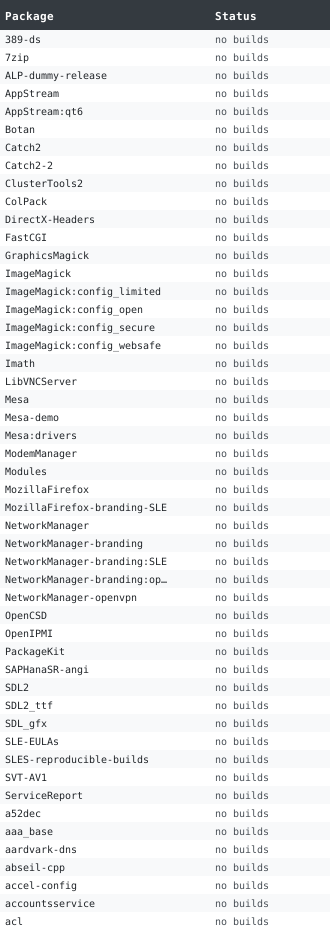
Returns an SVG image showing the complete build matrix table with packages as rows and repository/architecture combinations as columns. Each cell is color-coded by build status. This provides a visual overview of all builds at a glance.
Interactive elements:
All clickable cells open in a new window with the build log displayed in a modal popup.
Two display modes available:
compact=true): Shows status counts per package| Parameter | Type | Description |
|---|---|---|
project_name |
string | OBS project name (e.g., "SUSE:SLFO:1.2") |
| Parameter | Type | Required | Description |
|---|---|---|---|
repos |
string | No | Comma-separated list of repositories to filter |
archs |
string | No | Comma-separated list of architectures to filter |
compact |
boolean | No | Set to 'true' for compact summary view (default: false) |
max_packages |
integer | No | Maximum packages to show, 1-100 (default: 50) |
max_repos |
integer | No | Maximum repo/arch combinations to show, 1-20 (default: 10) |
Full matrix view:
Compact summary view:
Filtered by architecture:
Limited to 20 packages:
Direct browser access:
curl "http://gitexplorer.opensuse.org/badge/SUSE:SLFO:1.2/_table.svg" > matrix.svgReturns SVG image with Content-Type: image/svg+xml
In addition to the JSON API endpoints above, this server provides read-only proxy access to the OBS backend. These endpoints forward requests to the underlying OBS instance and return responses in OBS XML format.
These can be used for example with osc when you configure an api url "http://gitexplorer.opensuse.org/obs .
Forward requests to OBS source API. Access project metadata, package lists, source files, and other source-related information.
# Get project metadata
curl "http://gitexplorer.opensuse.org/obs/source/openSUSE:Factory/_meta"

# List packages in a project
curl "http://gitexplorer.opensuse.org/obs/source/openSUSE:Factory"

# Get package metadata
curl "http://gitexplorer.opensuse.org/obs/source/openSUSE:Factory/bash/_meta"Forward requests to OBS build API. Access build results, build logs, binary packages, and build-related information. This endpoint is also used by the web interface for displaying build results and logs.
# Get build results for a project
curl "http://gitexplorer.opensuse.org/obs/build/openSUSE:Factory/_result"

# Get build log for a specific package
curl "http://gitexplorer.opensuse.org/obs/build/openSUSE:Factory/standard/x86_64/bash/_log"

# Get binary package
curl "http://gitexplorer.opensuse.org/obs/build/openSUSE:Factory/standard/x86_64/bash/bash-5.2.rpm"Forward requests to OBS request API. Returns an empty request list since this is a read-only interface and does not support request management.
All API endpoints return appropriate HTTP status codes. Error responses include
a JSON object with an error field describing the issue:
{
  "error": "Search term must be at least 2 characters"
}API endpoints are protected by rate limiting to prevent DoS attacks and ensure the web interface remains responsive under heavy load. By default, rate limiting is enabled with the following configuration:
/api/*) and OBS proxy endpoints (/obs/*) are rate limitedX-Forwarded-For header when behind a reverse proxy, falls back to direct connection IP
Rate limits can be configured in the server configuration file (config.ini)
or via command-line arguments. Server administrators may adjust limits based on their
deployment requirements.
For automated tools: Please implement exponential backoff when receiving 429 responses, and consider caching results when possible.
Authentication is inherited from the server configuration. If the server is configured with OBS credentials, those credentials are used for backend requests. The API itself does not require separate authentication.